
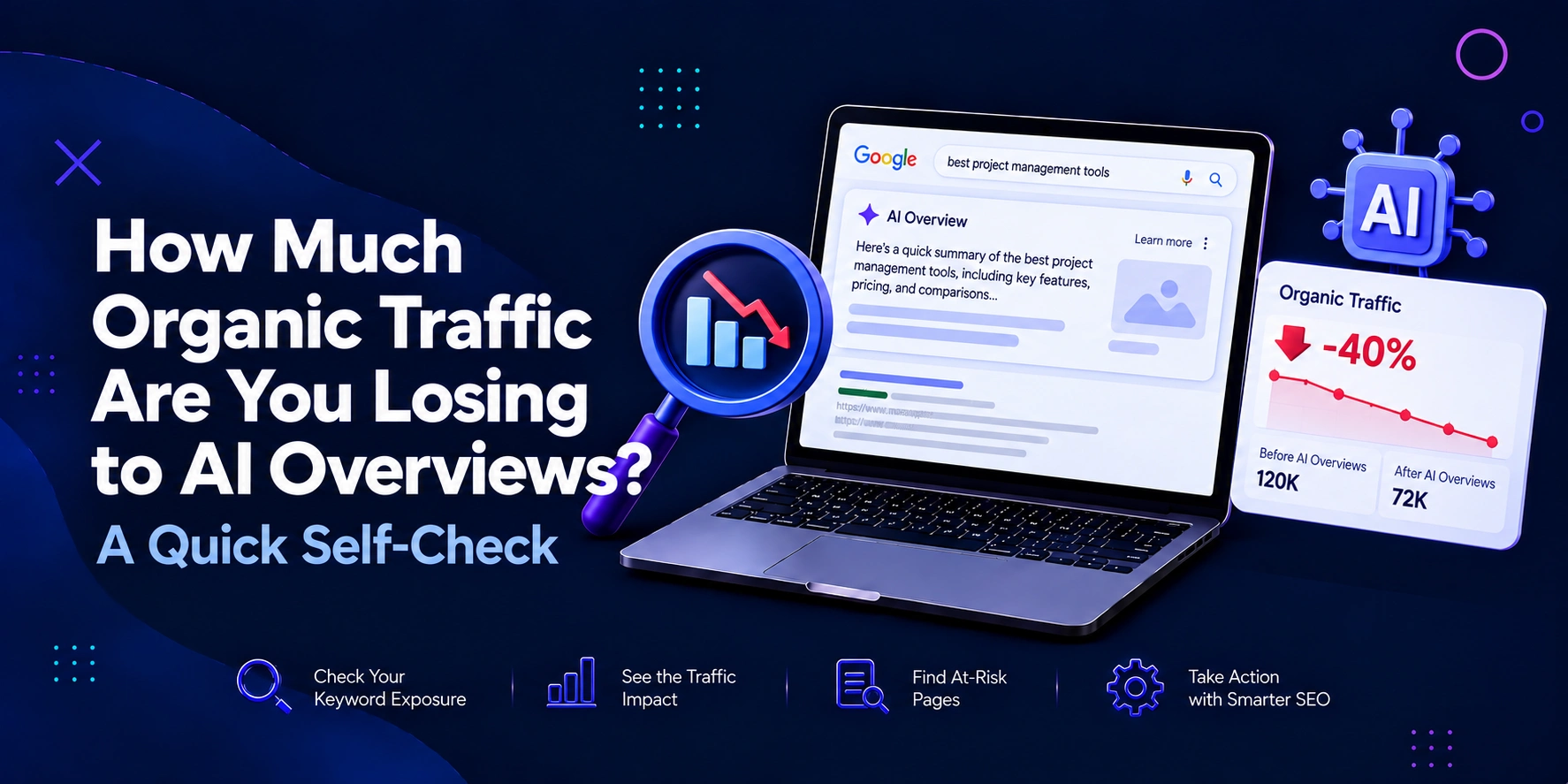
Organic traffic can fall even when rankings hold. That shift creates a hard question for marketing managers: are AI Overviews taking clicks that once reached your website? Google now answers many searches inside the results page, which can change click behaviour before users reach an organic listing. The answer is not to blame every decline on AI. You need a focused audit that separates AI Overview exposure from seasonality, ranking changes, technical issues, and demand shifts.
This guide gives you a simple organic traffic loss AI Overviews check you can run with data you already have.
Get a free digital marketing consultation from BThrust's Singapore team and find out what's holding your growth back.
AI Overviews answer part of a query on Google’s results page. That changes the value of a ranking. A page can stay in position one, two, or three yet earn fewer visits because the searcher gets enough information before clicking.
Ahrefs compared 300,000 keywords and reported that, in December 2025, an AI Overview correlated with a 58% lower average click-through rate for the top-ranking page. Pew Research found a similar pattern: users clicked a traditional result in 8% of visits when an AI summary appeared, versus 15% without one. Links inside the summary drew clicks in only 1% of visits.
Google presents another side of the picture. The company says total organic click volume from Search to websites has shown little change from one year to the next. The right task for marketing teams, then, is diagnosis rather than blame.
A page deserves an AI Overview traffic audit when these signals appear together:
One signal means little. Four signals create a strong reason to investigate.
A guide may hold position three while impressions rise and CTR falls from 4.8% to 2.9%. If its main queries trigger AI Overviews, ranking loss does not explain the change.
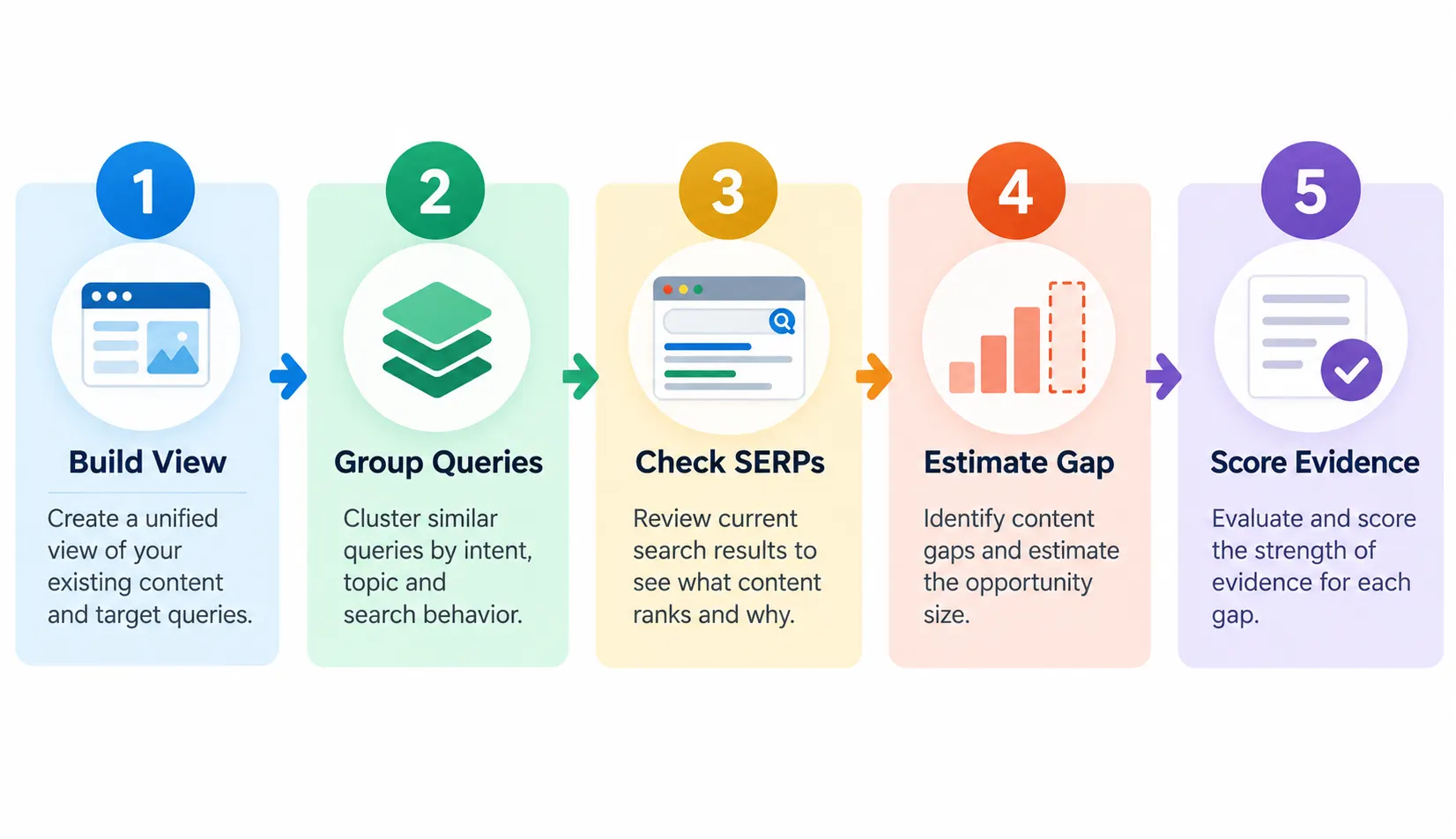
Open Google Search Console and compare two periods with similar demand. Use at least 28 days on each side. Avoid major sales, migrations, redesigns, or known algorithm shocks.
Export clicks, impressions, CTR, and average position by page and query.
Start with pages that lost clicks. If rankings fell from position two to position nine, you have a ranking problem. If rankings held while CTR fell, the case for search-result click loss grows.
Search Console counts a visit from an AI Overview link as a click to your website. Google also started rolling out a separate Generative AI performance report in 2026. The report can show impressions from AI Overviews and AI Mode for properties with access.
Create five groups: informational, comparison, commercial, transactional, and branded. Compare the CTR change inside each group.
This matters because AI Overviews have moved beyond basic informational searches.
Semrush reported a 71% rise in AI Overview appearances for commercial-intent queries during a six-month study of more than 600,000 keywords.
Grouping prevents strong branded traffic from hiding weakness in non-branded discovery traffic. It also shows whether lost clicks affect awareness, evaluation, or revenue.
Choose 20 to 50 high-value queries that match the loss pattern. Record:
Repeat the checks across your review cycle because AI Overview sources can change. Treat one search as a signal rather than proof.
For regional campaigns, use the correct market. A strategy focused on SEO in Singapore needs Singapore search results and local Search Console data rather than conclusions drawn from another country.
You do not need a complex attribution model. Start with a working estimate.
Expected clicks = current impressions × historical CTR
Then calculate:
Estimated click gap = expected clicks − current clicks
Imagine a query group with 40,000 monthly impressions and a former CTR of 5%. You would expect 2,000 clicks.
If the current CTR reaches 3%, the group earns 1,200 clicks. The estimated gap equals 800 clicks.
Do not label all 800 as traffic “lost to AI”. Ads, snippets, competitors, demand, and device mix can change CTR as well.
Give one point for each condition: rankings stayed stable; impressions held or grew; CTR fell; AI Overviews appear across affected queries; your site earns few citations; and the loss centres on informational or comparison content.
A score of zero to two suggests weak evidence. Three to four suggests an AI search impact worth investigation. Five to six creates a strong case for action.
This self-assessment AI search impact score gives marketing teams a shared way to prioritise work.
Finding the problem has little value unless it changes what you create.
Give search systems strong source material: original data, definitions, structured comparisons, named expertise, and claims readers can verify.
Cut sections that repeat common advice. Add first-hand findings, expert insight, examples, benchmarks, or research that gives the page a clear reason to exist.
This is where AI SEO becomes useful. The aim is not to write for machines. The aim is to create material search systems can interpret, and people can trust.
If an AI Overview can replace your page with three sentences, the page has a weak click proposition.
Add value that a short summary cannot hold: calculators, templates, benchmarks, case studies, detailed comparisons, tools, or expert frameworks.
A guide on SEO investment can explain the basics, then lead readers to an SEO ROI calculator that helps them make a business decision. The Overview may answer the first question. Your asset gives the user a reason to visit.
A 20% decline on a glossary page may matter less than a 10% decline on a comparison page that feeds qualified leads.
Map affected pages to conversions, pipeline, subscriptions, enquiries, or sales. Traffic matters, but business impact should set the work order.
A click gap becomes useful when you connect it to outcomes.
Take the affected pages and compare their conversion rate, assisted conversions, lead quality, and revenue contribution. A page that loses 500 visits but creates few qualified actions may rank below a page that loses 100 visits and feeds sales conversations.
Use the same logic for reporting. Show the estimated click gap beside conversion value instead of treating it as a stand-alone SEO loss. This helps budget owners see whether the issue threatens the pipeline or affects low-value information traffic.
You can also compare the cost of recovery work with the expected return. That makes an SEO ROI calculator useful when deciding whether a content refresh, research project, expert study, tool, or conversion asset deserves investment.
Use this review during a weekly or monthly marketing check.
Sort Search Console pages by click decline. Remove pages with clear ranking losses. Compare CTR. Pick ten affected pages. Review their top queries. Check AI Overview presence and citations. Estimate the click gap. Rank each page by business value.
Your shortlist should answer three questions:
This DIY AI search visibility audit gives your team an action list without turning the review into a large research project.
AI Overviews can take clicks, but other problems can create the same pattern.
Check search demand, ranking movement, ads, SERP features, title appeal, competitor changes, device mix, and technical issues before changing your strategy.
Review country, device, page type, and query intent—especially when tailoring your AI SEO Singapore efforts to local search behavior—when your dataset supports those comparisons.
A sound diagnosis rules out simpler causes before your team spends budget on the wrong solution.
Build a compact scorecard with organic clicks, impressions, CTR, average position, AI Overview exposure, citation presence, conversions, and estimated click gap.
Add one sentence on the next action.
For example: “Visibility holds, CTR has weakened across AI-exposed queries, and five pages create the largest commercial risk.”
That statement gives leaders a clearer picture than “SEO traffic is down”. It ties the discussion to evidence, business value, and actions your team can measure.
AI Overviews have changed the path between a search and a website visit. That does not make organic search less valuable, but it does change what strong performance looks like. Run this self-assessment AI search impact review with Search Console, analytics, SERP checks, and conversion data. Look for stable rankings, rising impressions, falling CTR, and repeated AI Overview exposure. Then improve pages that can win citations, demand a click, or support conversion. A sound AI Overview traffic audit turns a vague traffic concern into a measured plan your marketing team can defend, test, and improve.
AI Overviews can reduce clicks even when rankings stay stable. Compare impressions, CTR, positions, and AI Overview presence across affected queries before blaming algorithm updates, seasonality, or demand change patterns.
Start with Google Search Console. Compare clicks, impressions, CTR, average position, query groups, and page trends. Add manual SERP checks or SEO tools to confirm AI Overview exposure with evidence.
Focus on pages with stable rankings, strong impressions, falling CTR, and high AI Overview exposure. Strengthen original evidence, useful comparisons, expert insight, and reasons for searchers to visit your site.
No. Track qualified visits, conversions, assisted revenue, branded demand, AI citations, and visibility. Traffic still matters, but marketing managers need metrics that show business value beyond raw session count reports.